Introduction
Customer support is one of the most important parts of running a successful ecommerce business. When a store is new, the owner can usually manage customer questions, order updates, product inquiries, and complaints personally. At this stage, the number of daily messages may be small enough to handle without additional staff.
However, as the business grows, customer support can become increasingly difficult to manage alone. More orders bring more questions about products, shipping, delivery times, returns, refunds, and order tracking. Customers expect quick responses, and even a short delay can affect their shopping experience.
This creates an important challenge for growing ecommerce businesses: how can they manage increasing support requests without hiring too early or allowing service quality to decline?
Hiring a full-time employee may not be financially practical for every store. Outsourcing support can provide additional capacity, but it may also introduce communication and quality-control challenges. Automation can reduce repetitive work, but it cannot always understand complex customer situations.
The best approach is to understand the actual support workload before deciding how to expand the team.
This article explains how ecommerce businesses can prepare for growing customer support demands, reduce repetitive questions, create effective procedures, and choose the right level of support as their operations expand.
1. Understand When Customer Support Becomes Too Much to Handle
There is no universal order count or revenue level at which an ecommerce business must hire customer support staff.
A store receiving 100 orders per day may have relatively few support requests if its product information and delivery processes are clear. Another store receiving only 30 orders per day may experience a high number of questions because customers regularly need help understanding products, delivery options, or return policies.
Therefore, store size alone should not determine when additional support is needed.
Businesses should evaluate their actual support workload.
Important questions include:
- How many customer messages arrive each day?
- How much time is spent answering them?
- Which questions appear repeatedly?
- How many requests require personal investigation?
- Are customers waiting too long for responses?
- Is customer support taking time away from important business activities?
- Are complaints increasing because of delayed communication?
For example, an owner may spend three hours every day answering questions about delivery estimates and tracking information. This could indicate that the store needs better communication and tracking processes before hiring another employee.
On the other hand, if customers frequently report damaged products, incorrect orders, or complicated refund problems, additional human support may be necessary.
The first step is identifying the real source of the workload.
2. Review Recent Customer Support Requests
Before hiring anyone or introducing automation, businesses should examine their existing support conversations.
One practical suggestion is to review the last 100 customer support requests.
This provides a useful sample for identifying patterns without requiring the business to analyze every conversation from the beginning.
The objective is to understand what customers are asking and how much effort each request requires.
Support requests can be divided into categories such as:
| Support Category | Common Customer Questions |
| Product information | What size should I order? What materials are used? |
| Order status | Has my order been shipped? |
| Shipping | How long will delivery take? |
| Tracking | Where can I find my tracking information? |
| Returns | Can I return or exchange this product? |
| Refunds | When will I receive my refund? |
| Payment | Why was my payment declined? |
| Complaints | My order arrived damaged. What should I do? |
After categorizing the messages, businesses should identify which issues occur most frequently.
For example, suppose a store reviews 100 support requests and discovers that:
- 30 questions concern shipping times.
- 25 questions concern order tracking.
- 20 questions concern product details.
- 15 questions concern returns.
- 10 questions involve complicated complaints.
This suggests that many support requests are related to information customers could potentially find themselves.
Improving product pages, shipping information, and tracking communication may reduce a significant portion of the workload.
However, the figures above are only an example. Every store should use its own support history to make decisions.
3. Reduce Repetitive Questions Before Hiring
One of the easiest ways to manage growing customer support is to prevent unnecessary questions from being created in the first place.
Many customers contact a store because they cannot find information that should be available before or after purchasing.
If the same question appears repeatedly, the business should consider improving the information customers receive.
Improve Product Pages
Product pages should answer common questions clearly.
Useful information includes:
- Product dimensions and measurements.
- Available sizes and colours.
- Materials and product specifications.
- Care and maintenance instructions.
- What is included with the product.
- Important limitations or compatibility details.
For example, if customers repeatedly ask whether a product is suitable for a particular use, the product description should explain its intended purpose.
Clear product information helps customers make better purchasing decisions and reduces unnecessary messages.
Create a Useful FAQ Section
A frequently asked questions section can answer common questions in one place.
It may include information about:
- Shipping times.
- Payment methods.
- Returns and exchanges.
- Refund processing.
- Order cancellations.
- Product availability.
- Warranty conditions.
The FAQ section should be easy to find and written in simple language.
Businesses should also update it whenever new questions appear frequently.
Improve Shipping Communication
Customers often contact support because they do not know when their orders will arrive.
Stores should clearly explain their order processing times, shipping estimates, and possible delivery delays.
It is important to distinguish between processing time and shipping time.
For example, an order may require two business days for processing before the shipping period begins.
Explaining this difference can prevent misunderstandings.
Make Tracking Information Easy to Access
Customers should be able to find their order status and tracking details without contacting support.
Stores can provide tracking information through order confirmation messages, shipping notifications, and a dedicated tracking page.
This allows customers to check their delivery progress independently.
4. Use Automation for Repetitive Support Tasks
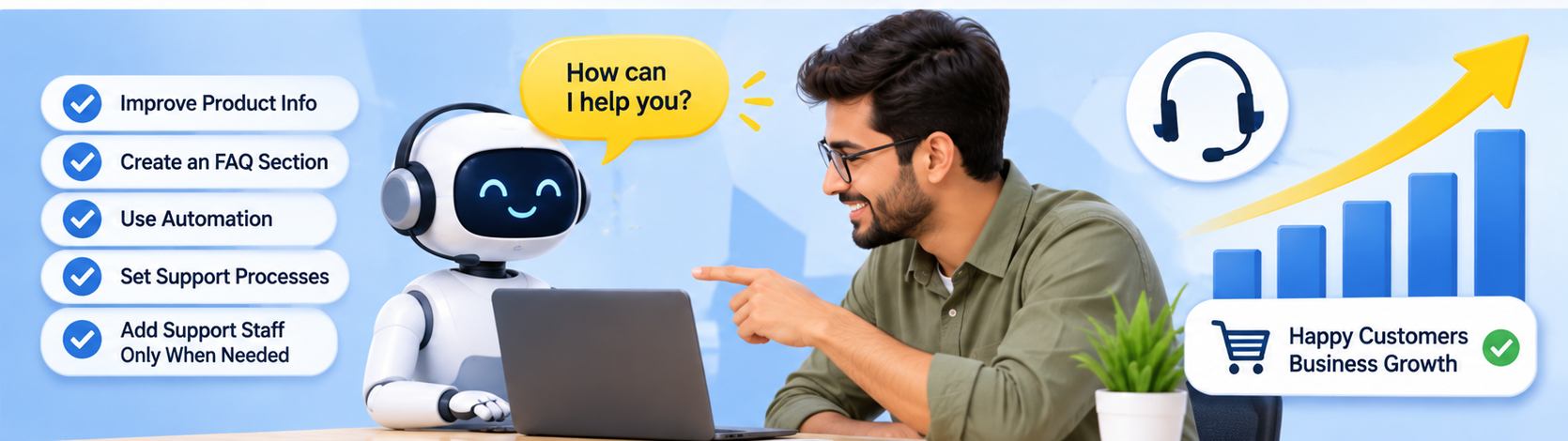
Automation can help businesses handle repetitive customer questions without increasing the number of employees.
However, automation should solve specific problems rather than being introduced simply because it is available.
For example, if customers regularly ask about order tracking, an automated response can explain where to find tracking information.
If customers frequently ask about return eligibility, an automated process can direct them to the relevant return policy.
Other useful applications include:
- Sending order confirmation messages.
- Sharing shipping notifications.
- Providing tracking updates.
- Answering common product questions.
- Directing customers to return instructions.
- Categorizing incoming support requests.
- Sending reminders when additional customer information is required.
The goal is to reduce repetitive manual work while keeping the customer experience convenient.
Automation Should Follow Actual Customer Behaviour
A common mistake is creating automated responses without understanding what customers need.
For example, a store may introduce an automated tracking response even though most complaints are actually caused by delayed dispatch.
In that situation, the automation may answer the question but fail to solve the underlying problem.
Businesses should first identify recurring support issues and then decide which ones can be handled automatically.
Automation works best when it is based on real customer support patterns.
5. Do Not Replace Human Judgment With Automation
Although automation can handle many routine tasks, it should not replace human judgment in every situation.
Some customer requests require investigation, empathy, and decision-making.
Examples include:
- A customer receives a damaged product.
- An order is marked as delivered but has not arrived.
- A customer requests an exception to the return policy.
- A payment has been processed incorrectly.
- A customer has experienced repeated delivery problems.
- A product has caused an unexpected issue.
These situations may require reviewing order records, contacting shipping providers, checking payment information, or making decisions based on individual circumstances.
An automated response may provide general information, but it cannot always understand the full situation.
A better approach is to use automation for routine questions and transfer complex or sensitive requests to a human support representative.
This creates a balance between efficiency and personalized service.
6. Decide Whether You Need a Virtual Assistant
A virtual assistant can help manage customer support when the owner no longer has enough time to handle routine requests.
This may be a suitable option when the store has a consistent but manageable volume of daily support work.
A virtual assistant can be responsible for:
- Responding to common customer questions.
- Checking order status.
- Sharing tracking information.
- Explaining store policies.
- Categorizing support tickets.
- Following up on unresolved requests.
- Escalating complicated issues.
- Updating customer records.
For example, an ecommerce owner may continue managing business operations while a virtual assistant handles routine customer inquiries.
However, hiring a virtual assistant does not mean the owner should stop monitoring support quality.
The assistant needs clear instructions, access to accurate information, and guidance about which situations require approval.
It is also important to define what the assistant is allowed to do.
For example, they may be permitted to provide order updates but require approval before issuing refunds or making exceptions to store policies.
This reduces the risk of inconsistent decisions.
7. When Should a Business Consider an Outsourced Support Team?
A virtual assistant may be sufficient for a smaller support workload. However, businesses with larger or more consistent support requirements may need a managed support team.
An outsourced team can provide additional capacity and, depending on the arrangement, extended operating hours.
This can be useful when:
- Customer messages arrive throughout the day.
- The business needs weekend or extended coverage.
- Several communication channels must be managed.
- Support requests require different areas of expertise.
- A single employee cannot handle the workload reliably.
- The business needs coverage during staff absences.
For example, a store selling internationally may receive customer messages from different time zones.
A managed team may help maintain response coverage beyond the owner’s normal working hours.
However, outsourcing also introduces responsibilities.
The business must provide training, product information, communication guidelines, escalation procedures, and quality checks.
Without these, an outsourced team may respond quickly but provide inaccurate or inconsistent information.
The business should also consider customer data access, confidentiality, and security before sharing customer information with an external support provider.
8. Create a Simple Standard Operating Procedure Before Onboarding
One important lesson for growing businesses is that customer support processes should be documented before bringing in additional staff.
A standard operating procedure, or SOP, explains how common customer requests should be handled.
It does not need to be a lengthy document at the beginning.
A simple guide can include:
Store information: Product details, business hours, shipping locations, and contact information.
Shipping procedures: How to check dispatch status, tracking information, and delayed deliveries.
Return procedures: Eligibility requirements, return steps, and refund timelines.
Response guidelines: Expected tone, communication style, and response times.
Escalation rules: Which situations must be transferred to the owner or manager.
Refund permissions: What the support representative can approve independently.
For example, an SOP might explain that if a customer asks where an order is, the representative should first check the order status and tracking information before sending a response.
If the tracking information has not been updated for several days, the issue should be escalated for further investigation.
A documented process helps new employees understand their responsibilities and reduces inconsistent answers.
The SOP should not be treated as a finished document that never changes. It should be improved during the first few weeks based on actual customer conversations.
9. Maintain Quality With Regular Reviews and Feedback
Hiring someone or outsourcing support does not automatically guarantee good customer service.
Businesses need a way to monitor whether customers are receiving accurate, helpful, and professional responses.
A simple quality-control process can include:
Review Sample Conversations
The owner or manager can regularly review a sample of completed support requests.
This helps identify incorrect answers, unclear communication, and missed opportunities to resolve problems.
Use Ticket Categories
Every support request should be assigned an appropriate category.
This makes it easier to understand which issues are increasing and where additional improvements are needed.
Maintain a Shared Knowledge Base
Employees should have access to the same product information, policies, and response instructions.
This reduces the possibility of different employees giving different answers to the same question.
Provide Regular Feedback
Support representatives should receive feedback about their communication and decision-making.
If a particular question causes confusion, the business should improve the SOP or knowledge base.
Track Useful Performance Measures
Businesses can monitor:
- Average first response time.
- Average resolution time.
- Number of unresolved requests.
- Customer satisfaction.
- Repeated customer complaints.
- Requests escalated to management.
These measures help identify whether the support process is improving as the business grows.
10. How to Choose the Right Support Model
The right support arrangement depends on daily workload, request complexity, operating hours, and budget.
One practical discussion participant suggested the following rough workload ranges:
| Daily Support Workload | Possible Approach |
| Below 2 hours | Better information, support processes, and automation may be sufficient |
| 2–8 hours | A virtual assistant may provide useful support |
| Consistent high volume or extended coverage | Consider a managed support team |
These figures are practical suggestions, not fixed industry standards.
A business should not hire based only on the number of hours. It should also consider how difficult the requests are.
For example, two hours of simple tracking questions may be easier to manage than two hours of complex refund disputes.
A store receiving fewer messages may still need experienced human support if those messages involve complicated customer situations.
The business should choose the model that solves its actual operational problem without creating unnecessary costs.
11. A Practical Step-by-Step Plan for Scaling Support
Growing businesses can follow a gradual approach instead of making an immediate hiring decision.
Step 1: Review recent conversations. Analyze approximately 100 recent support requests and identify recurring topics.
Step 2: Categorize requests. Separate product questions, shipping inquiries, tracking requests, returns, refunds, and complaints.
Step 3: Identify preventable questions. Improve product pages, FAQs, shipping information, and tracking communication.
Step 4: Introduce relevant automation. Automate repetitive tasks that have clear and consistent answers.
Step 5: Document support procedures. Create simple instructions for common requests and escalation situations.
Step 6: Evaluate the remaining workload. Measure how much time still requires human attention.
Step 7: Choose the right support arrangement. Decide whether the business needs a virtual assistant, outsourced team, or in-house employee.
Step 8: Monitor performance. Review conversations regularly and improve processes based on customer feedback.
This gradual process helps businesses avoid unnecessary hiring while ensuring that customers continue receiving reliable support.
Conclusion
Scaling customer support is not simply about hiring more people. It is about building a system that can handle increasing customer requests without losing response quality.
Before hiring, ecommerce businesses should understand what customers are asking, how frequently questions occur, and how much time is required to resolve them.
Many repetitive requests can be reduced through better product information, clear FAQs, accurate shipping details, accessible tracking pages, and carefully planned automation.
When additional human support becomes necessary, a virtual assistant may be suitable for routine tasks, while a managed or in-house team may be more appropriate for consistent high-volume support or extended coverage.
Clear procedures, shared knowledge, ticket categorization, and regular quality reviews are essential regardless of which staffing model a business chooses.
There is no universal number of orders or support messages that determines when a store should hire. The right time depends on the complexity of customer requests, the time required to manage them, and the impact on daily business operations.
Ultimately, successful customer support growth comes from improving processes first, adding people when necessary, and maintaining a balance between efficiency and human understanding. This allows an ecommerce business to grow while continuing to provide customers with timely, helpful, and trustworthy service.


0 Comments